Your music, books and podcasts. From your own server.
QuietCast plays the library you already run on Navidrome and Audiobookshelf, in a player made to feel as good as the big streaming apps, with none of what comes with them. No accounts, no ads, no analytics.
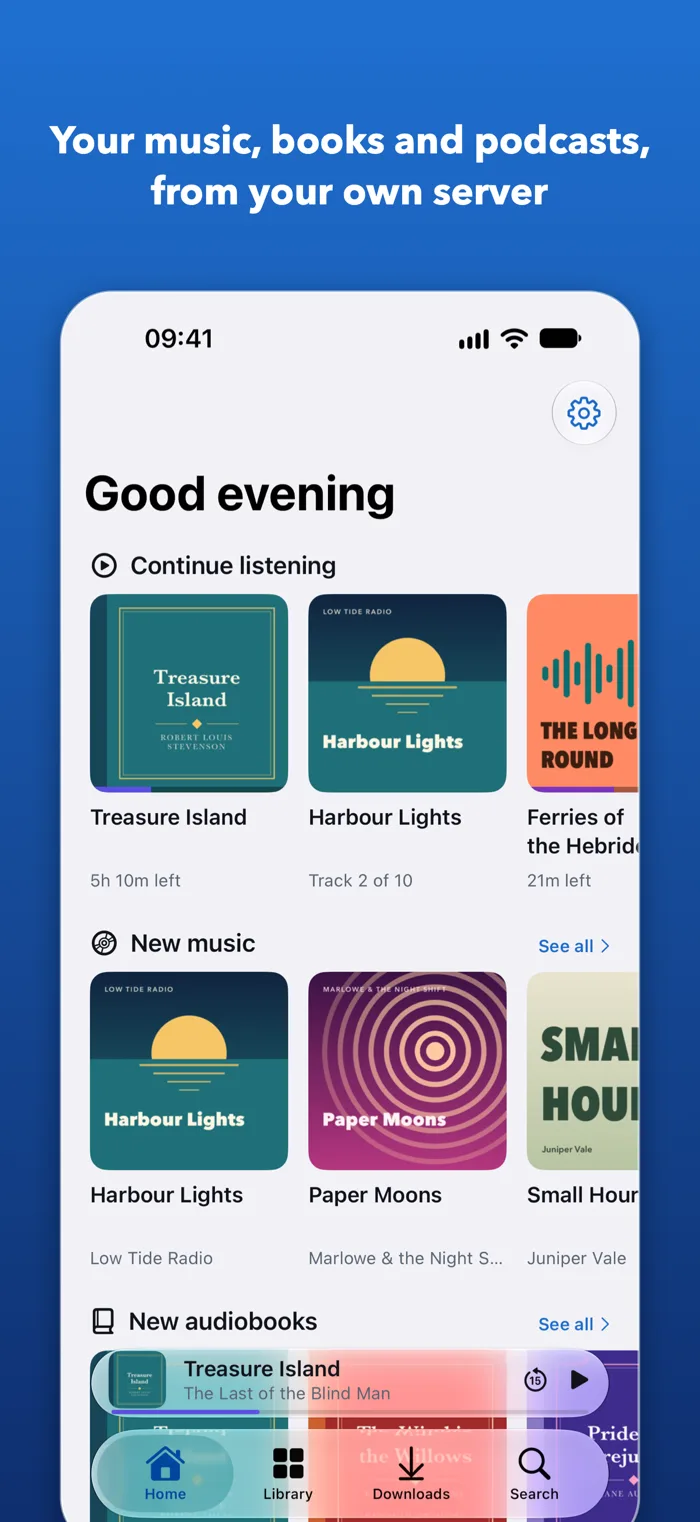
One calm player, for all of it.
Made for listening.
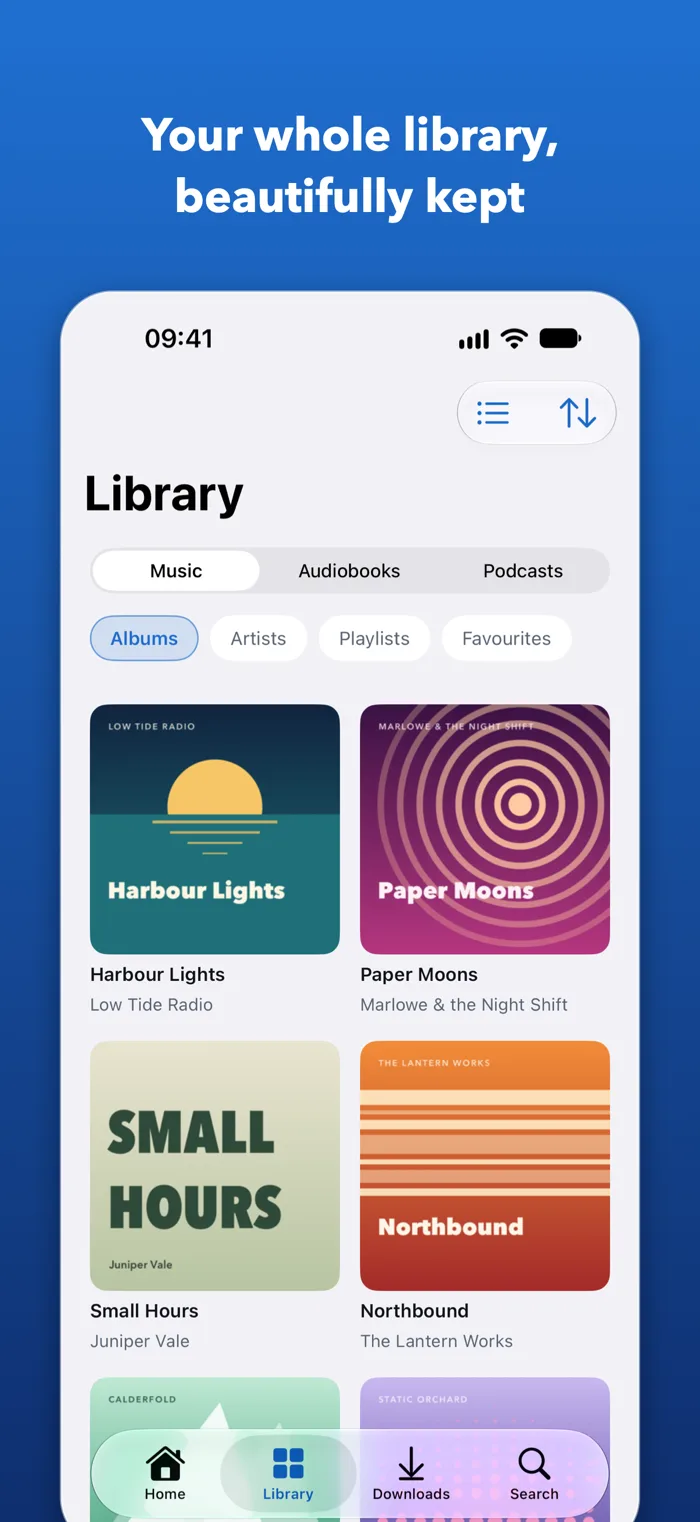
Your whole collection
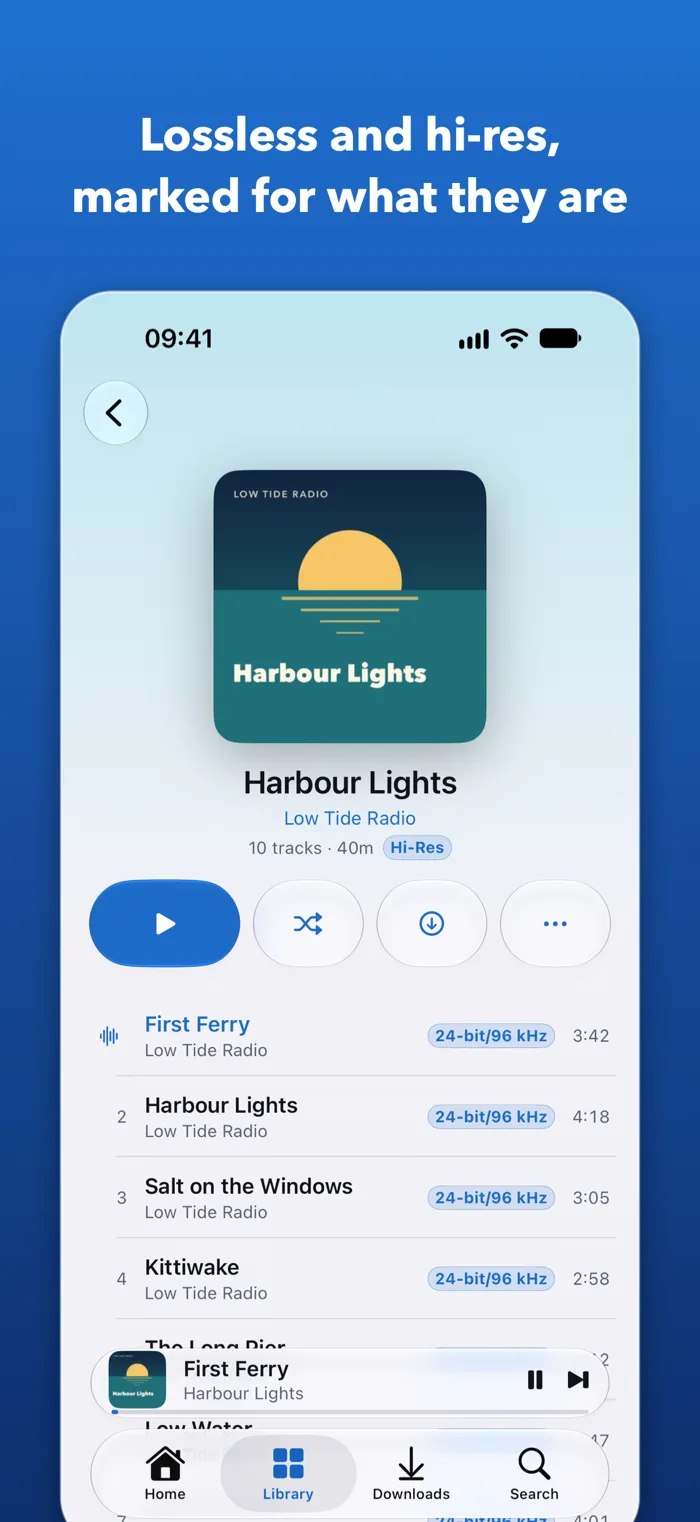
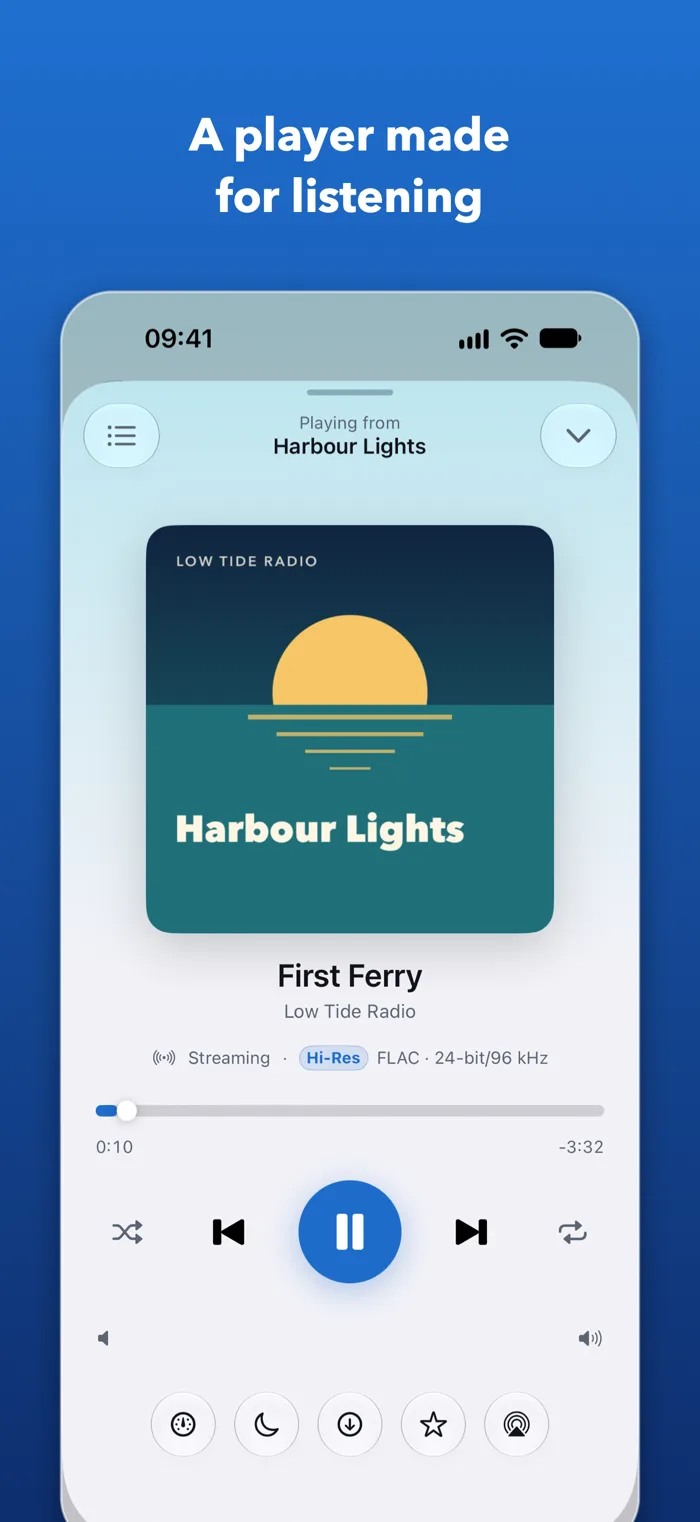
Albums, artists, playlists, smart playlists and favourites from Navidrome. Gapless albums, shuffle, repeat and a queue you can reorder. Lossless and hi-res files are marked for what they are.
Chapters, kept in step
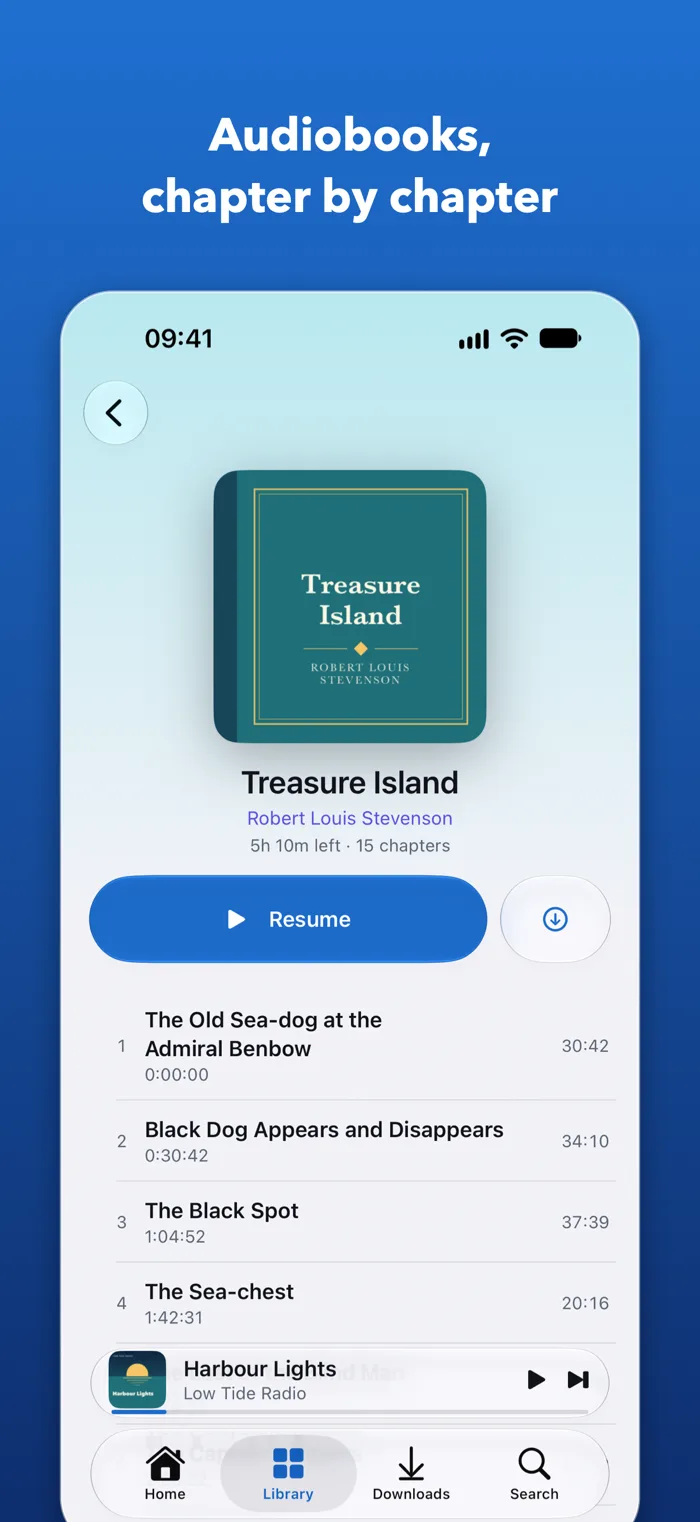
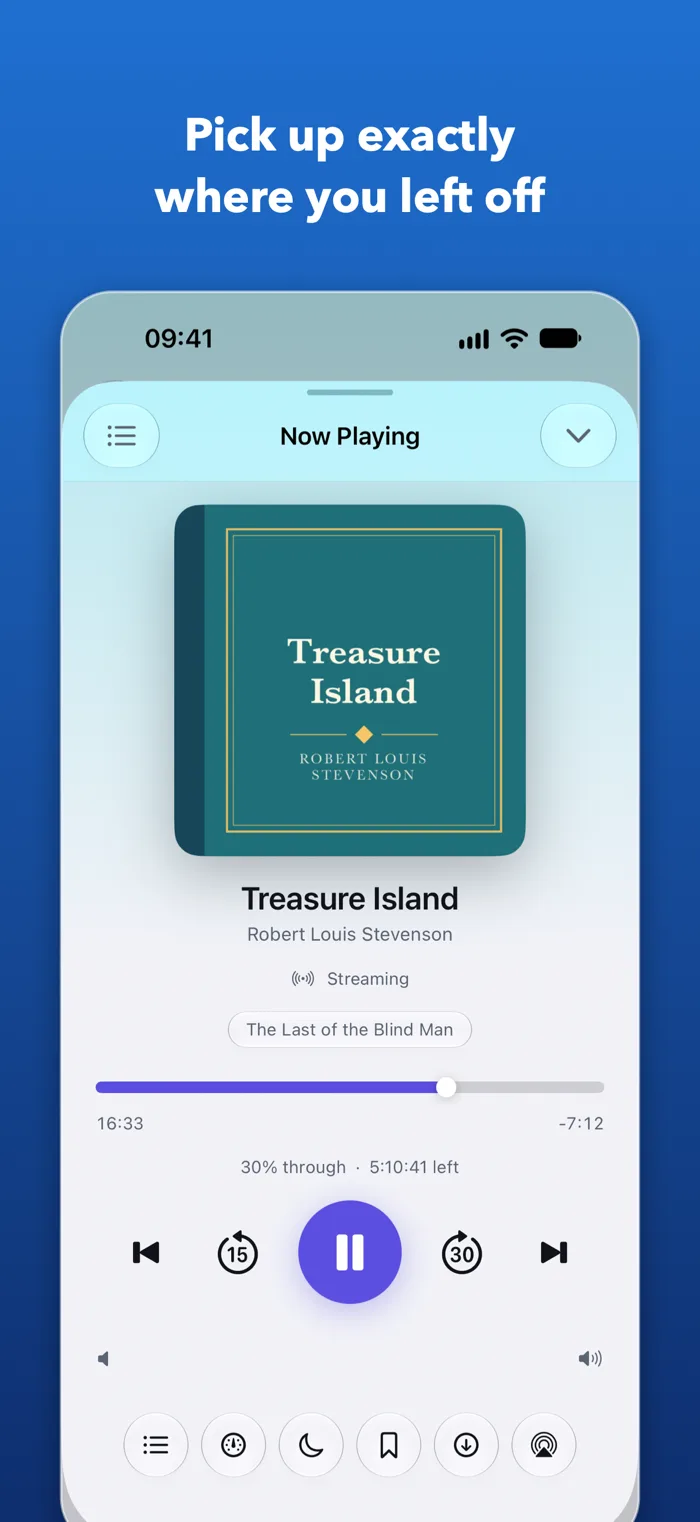
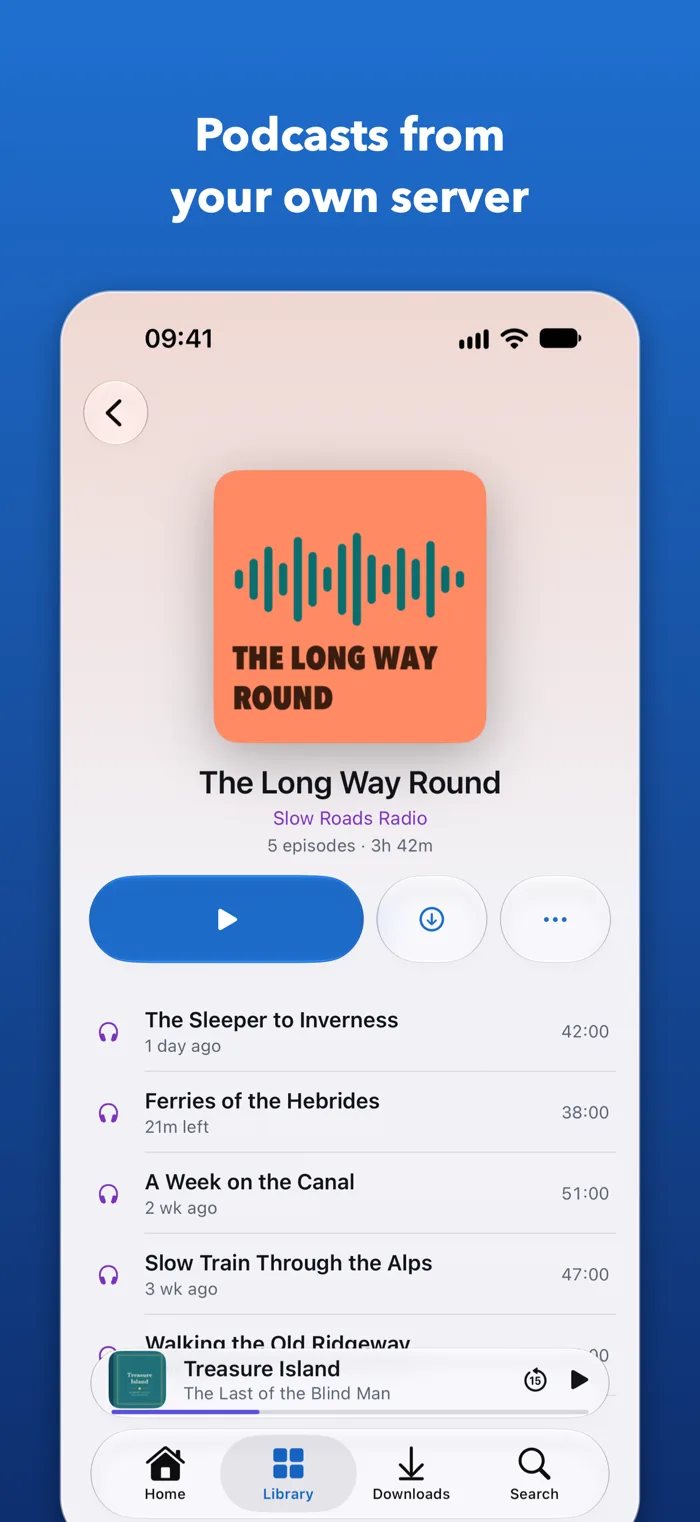
Books, series and authors from Audiobookshelf, with chapters, bookmarks and speed from 0.5× to 3×. Your place syncs back to the server, so another device carries on where you stopped.
Shows on your server
The podcasts you have added to Audiobookshelf, with a notification when a new episode arrives, checked against your own server and raised by your iPhone.
The details that matter
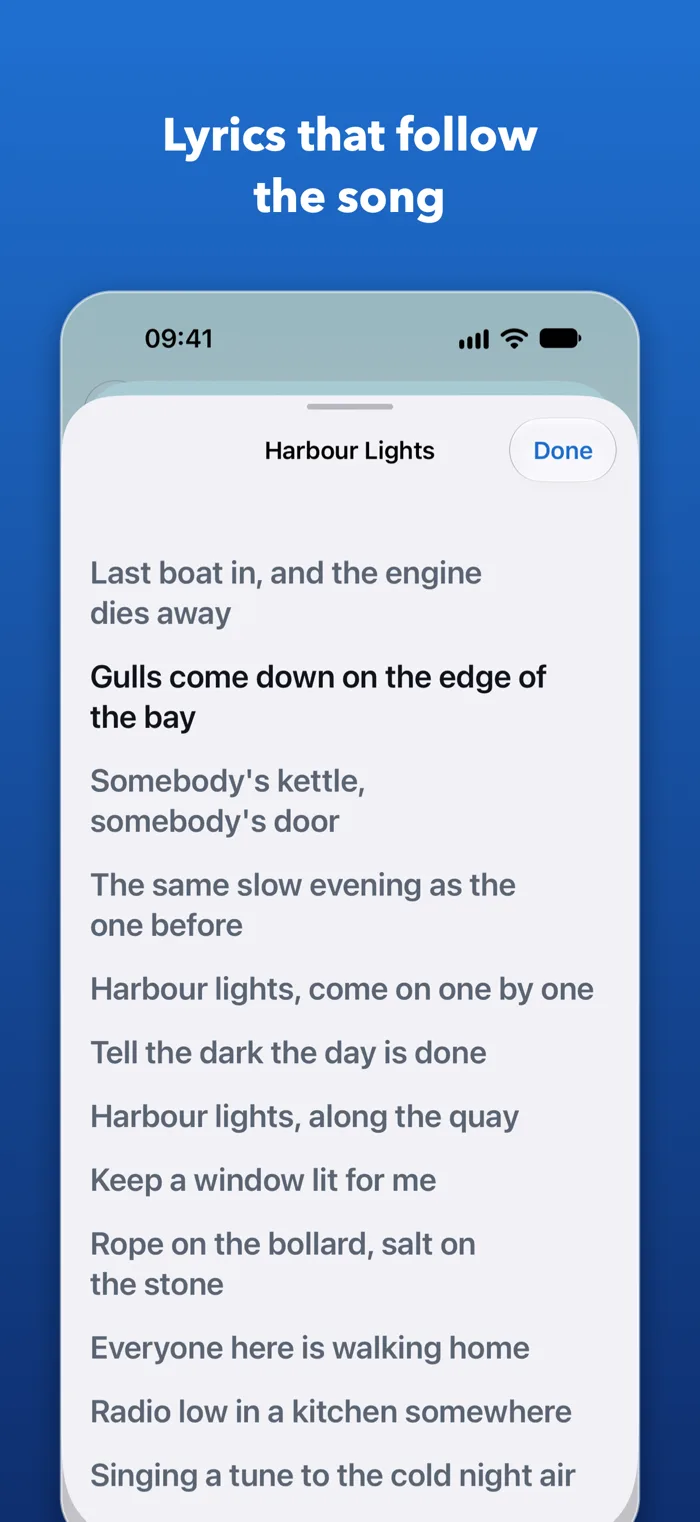
Synced lyrics where your server has them. A sleep timer that fades out after a set time, or at the end of the chapter, episode or track. Skip intervals you choose.
Downloads that behave
Keep albums, books and episodes on your iPhone. Pick a quality for music, set a storage limit from 2 to 20 GB, and the ones you finished longest ago are cleared first. Mobile data stays off until you say so.
CarPlay
Get in and carry on with whatever you were playing, through CarPlay or a Bluetooth car stereo. With QuietCast Pro, browse your whole library from the car’s screen.
Apple Watch
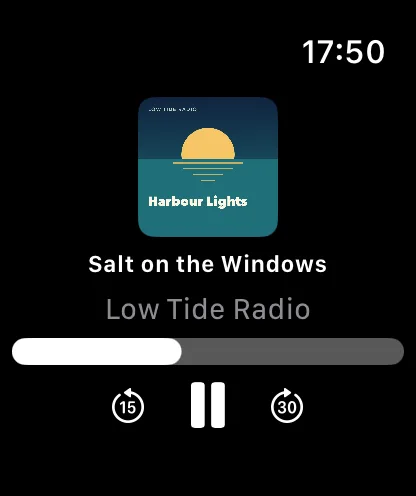
See what is playing, with play, pause and skip, while your iPhone stays in your pocket.
Siri and Shortcuts
“Play Treasure Island in QuietCast.” Play, pause, skip and next track by voice, plus the Lock Screen, Control Centre and AirPlay as you would expect.
Nothing in between
No account with us and no server of ours. QuietCast talks to your servers, and to the App Store only for a purchase. Passwords stay in the iPhone’s Keychain. No third-party code of any kind.
A player, not a library.
Navidrome
A free, open-source music server for your own collection. QuietCast connects to it over the Subsonic API.
navidrome.org ↗Audiobookshelf
A free, open-source server for your audiobooks, and for podcasts added on the server itself.
audiobookshelf.org ↗Try a demo first
When you connect a server, QuietCast can fill in the public demo for you: Navidrome’s own demo library, or a community Audiobookshelf demo of public-domain books. Neither is run by QuietCast, and either may be unavailable.
- Needs
- An iPhone running iOS 26 or later
- Servers
- One of each kind at a time: connect one or both
- Languages
- English, Arabic, Dutch, French, German, Italian, Portuguese (Brazil), Spanish and Turkish
Free to stream. Pro, bought once.
Connect your servers and play everything on them, with no time limit and no adverts.
- Streaming on your iPhone, the Lock Screen, AirPlay and Apple Watch
- Search, the queue, playlists and favourites
- Lyrics, bookmarks, the sleep timer and Siri
- New-episode notifications
- Carrying on with what you were playing in the car
- Three downloads to try
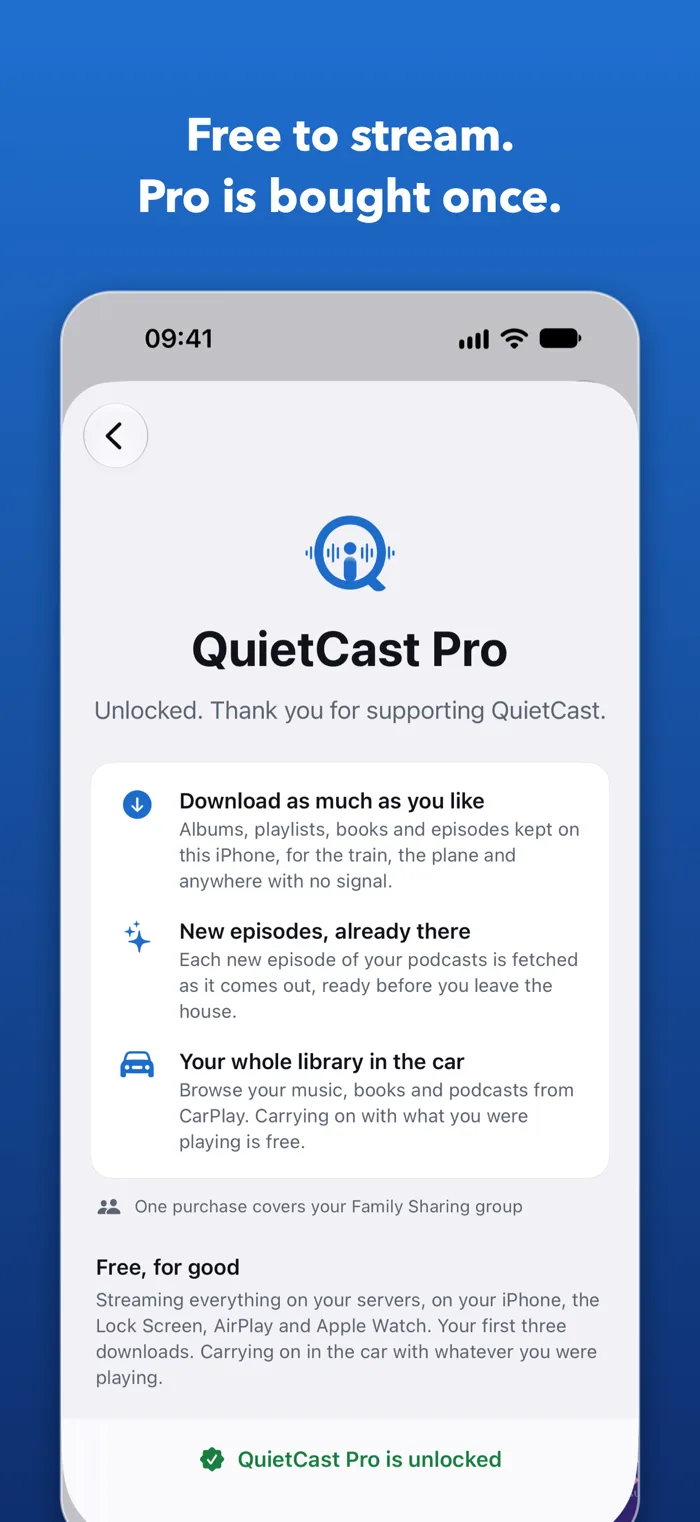
One in-app purchase. Everything free stays free, and Pro adds three things:
- Downloads without limit, for the train, the plane and anywhere with no signal
- New podcast episodes downloaded automatically as they come out
- Your whole library in CarPlay
An album, a playlist, a book or an episode each counts as one download, however many files it is. Nothing you have already downloaded is ever locked on your iPhone. UK price shown; the App Store shows the price where you are.
Common questions.
Connecting a server on your home network
Enter the same address you use in a browser, including the port. iOS will ask for permission to reach devices on your local network the first time. Without that permission an address like 192.168.1.10 cannot be contacted at all.
Your server uses a self-signed certificate
When a certificate cannot be verified, QuietCast shows you its SHA-256 fingerprint and asks whether to trust that exact certificate for that exact address. Compare it against your server before accepting. Trusting one server never affects another.
Your server is behind a proxy or a sign-in gateway
QuietCast signs in to Navidrome and Audiobookshelf themselves. It cannot get past a sign-in page or password prompt that a reverse proxy, or an access gateway such as Authelia, Authentik or Cloudflare Access, puts in front of them, and when one of those refuses, QuietCast says so rather than calling it a wrong password. Let QuietCast’s paths through without it (/rest for Navidrome; /api, /login and /auth for Audiobookshelf), or connect by an address that skips it, such as the server’s address on your home network. QuietCast cannot send custom headers or client certificates.
A plain http:// address
On your home network iOS allows it, and it is usually fine. Anywhere else it would send your password and everything you listen to unencrypted, so iOS refuses to connect that way: use https://. QuietCast tells you which of these an address is as you type it, before you type a password.
A download will not play
QuietCast falls back to streaming that item so playback carries on. Removing and downloading it again is the fix. If the new copy will not play either, the file on the server is probably damaged. QuietCast asks Navidrome to convert formats the iPhone cannot play, such as Ogg Vorbis or WMA, as they are streamed or downloaded.
Everything is missing after a reinstall
Server addresses are kept on the device and reinstalling clears them. Adding the server again is all that is needed: nothing on the server is affected, and your positions come back from Audiobookshelf with it.
Getting QuietCast Pro back on a new iPhone
QuietCast Pro belongs to the Apple Account that bought it, not to one iPhone. On a new or reset iPhone signed in to the same Apple Account, open Settings in QuietCast, tap QuietCast Pro, then Restore purchase. It costs nothing to restore.
Refunds
Purchases are made with Apple, so refunds are requested from Apple, at reportaproblem.apple.com. If a purchase is refunded, QuietCast Pro is switched off again; anything already downloaded stays on your iPhone and keeps playing.
Can I see the source code?
Yes. QuietCast holds your server address and password, so its code is published for anyone to read, at github.com/QuietlyUseful/QuietCast, updated with each App Store release. You may build and run it for your own personal use, to check it does what it says. It is source-available rather than open source: the licence, PolyForm Strict 1.0.0, does not allow redistributing it or publishing changed versions. Security reports are welcome there.
Navidrome and Audiobookshelf are independent open-source projects. QuietCast is not affiliated with, endorsed by, or produced by either of them. Apple, iPhone, Apple Watch, AirPlay, CarPlay and Siri are trade marks of Apple Inc.